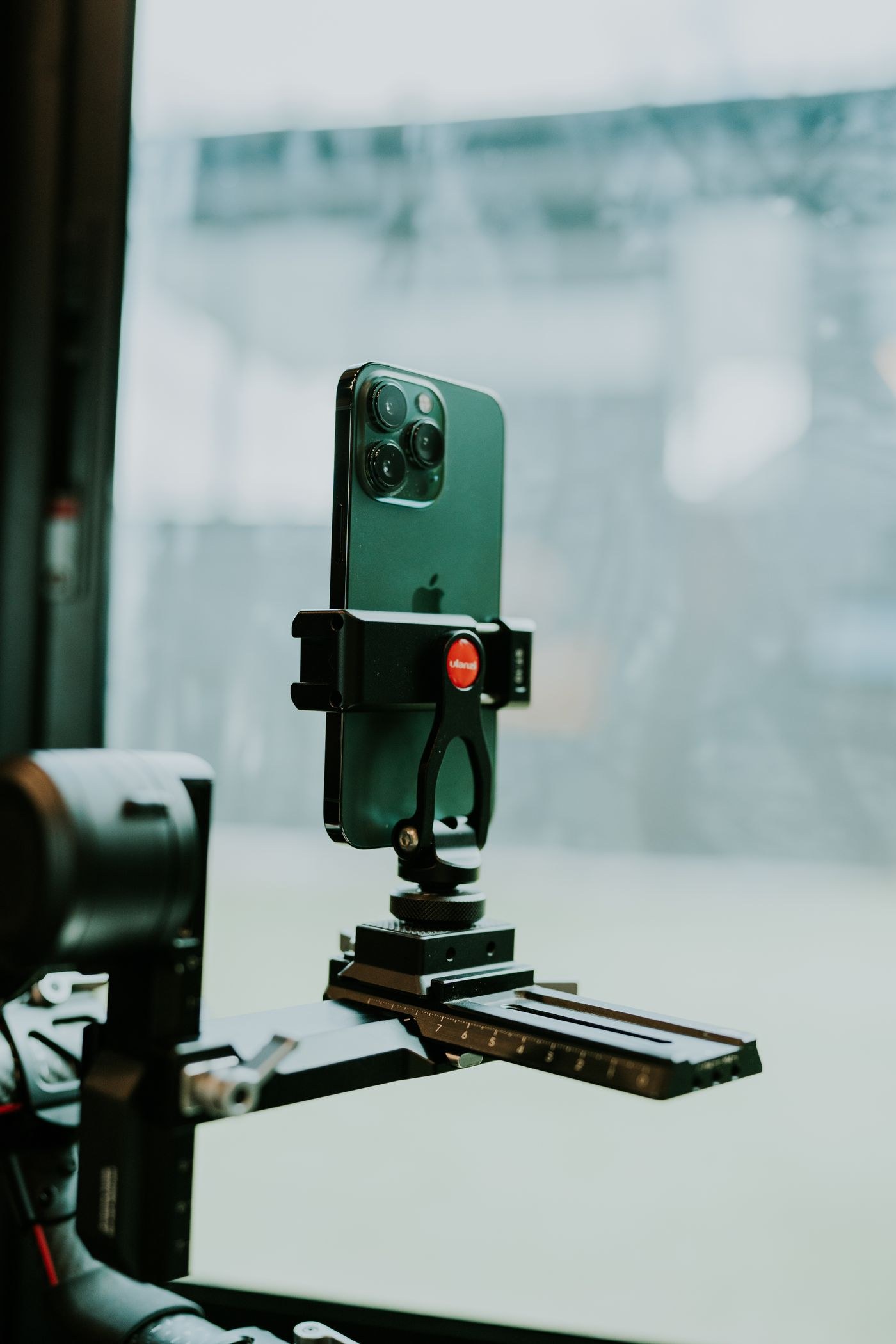
A phone clamp must hold the device securely without pressing a button or covering a camera lens. Modern phones can have several lenses and sensors spread across a large camera area, so a clamp that fits the body width may still obstruct the active camera. Check the exact phone, case and orientation together.
Attach the clamp to a suitable support and test it close to a soft safe surface. The jaws should grip the intended edges evenly, with no partial contact on a sloping case. Follow the clamp's size limits and do not force a phone into a mount that is too small. A thick or slippery case can change the grip substantially.
Open the camera and switch through the lenses you intend to use. Look for a dark edge, blocked view or reflection from the clamp. A phone may change cameras when zooming or in certain modes, so inspect the actual recording setup rather than only the default view. Keep the flash and other needed sensors unobstructed too.
Check side buttons. Pressure on a volume or power button can trigger unwanted actions or make the phone difficult to operate. Move the clamp to a clear area while preserving balance. If the only available position leaves the phone far off-centre, use a more suitable mount rather than accepting a setup that easily tips.
Rotate between portrait and landscape only while supporting the phone with a hand. Retighten the appropriate joint and confirm that the clamp itself has not loosened. The support should remain stable in both orientations. A charging cable can shift the balance or pull on the phone, so route it with slack and keep it clear of people.
Use a timer or compatible remote trigger when touching the screen causes movement. Tap to set the intended focus and exposure before releasing, then check whether the camera retains those choices. Different apps behave differently, so test the sequence you will use instead of assuming every touch setting remains locked.
Inspect a recorded image at full frame and at the important detail. Confirm that the clamp has not intruded and that the phone did not move during capture. Before carrying the setup, remove the phone unless the mount is explicitly designed for secure transport that way. A clamp that works on a stationary table is not necessarily safe while swinging from a tripod.